Affiliate Disclosure: As an Amazon Associate, we earn from qualifying purchases. This review contains affiliate links at no extra cost to you. Our recommendations are always independent and unbiased. Last Updated: May 2026
The best mini PCs 2026 deliver full desktop performance in a package that fits in your palm — but choosing between Windows, macOS, AMD, and Intel platforms requires understanding what each machine is genuinely built for. The five mini PCs on this list cover every type of buyer: the Apple Mac Mini M4 is the best overall mini PC available — TechRadar called it “the best small form factor PC in the world” after testing, with a 10-core M4 chip, whisper-quiet operation, and 16GB unified memory standard, starting at $599; the ASUS NUC 14 Pro is the best Windows mini PC for professionals — Thunderbolt 4, Intel Core Ultra processors, and a toolless upgradeable design from the brand that acquired Intel’s legendary NUC product line; the Beelink SER8 is the best value AMD mini PC — Ryzen 7 8845HS with AMD Radeon 780M, 32GB DDR5, 1TB NVMe, USB4, and triple display support at around $650; the Minisforum UM890 Pro is the most powerful AMD mini PC with the most connectivity — Ryzen 9 8945HS, dual 2.5GbE, dual USB4, and the only mini PC on this list with an OCuLink port for external GPU support; and the ASUS Mini PC PN64 is the best business mini PC — Intel 12th/13th gen Core, dual Thunderbolt 4, quad display support, and enterprise-grade manageability at a lower price than the NUC 14 Pro. The ClarityPick Experts verified every processor generation, port specification, RAM type, display output capability, and price tier across all 5.
🔬 Mini PC Buying Guide — Platform, Ports & What Actually Matters
The mini PC market in 2026 splits into three distinct platforms — Apple Silicon, Intel, and AMD. Understanding the differences prevents buying the wrong machine for your workflow.
🍎 Apple Silicon (M4) — Unified Memory Architecture
Apple’s M4 chip uses a unified memory architecture — CPU, GPU, and Neural Engine share the same memory pool, eliminating the bandwidth bottleneck between processor and graphics. This makes 16GB of M4 unified memory significantly more capable than 16GB of conventional RAM paired with integrated graphics. Apple Silicon also delivers the best performance-per-watt of any chip on this list — the Mac Mini M4 runs silently under load while Intel and AMD alternatives spin fans. The trade-off: macOS only, no internal upgradeability after purchase, and no support for Windows applications without virtualisation.
🔵 Intel Core Ultra (Meteor Lake) — Thunderbolt & Business Features
Intel’s Core Ultra (Meteor Lake) processors bring a significant iGPU upgrade via Intel Arc graphics — meaningfully better than previous Iris Xe for light creative work. Core Ultra chips also feature an NPU for local AI processing, Thunderbolt 4 natively, and vPro support for enterprise management. Intel mini PCs support user-upgradeable RAM and storage. The ASUS NUC 14 Pro and PN64 on this list both use Intel silicon — the NUC 14 Pro with Core Ultra, the PN64 with 12th/13th Gen Core.
🔴 AMD Ryzen 8000 (Hawk Point, Zen 4) — Best Raw Multi-Core & GPU
AMD’s Ryzen 8000 series (Hawk Point) uses Zen 4 cores with the Radeon 780M iGPU — the strongest integrated GPU of any chip on this list for gaming and GPU-accelerated tasks. The 8845HS (Ryzen 7, in the Beelink SER8) and 8945HS (Ryzen 9, in the Minisforum UM890 Pro) are 8-core, 16-thread chips clocking up to 5.1–5.2GHz. AMD mini PCs typically offer better multi-core performance benchmarks than Intel equivalents at similar prices and support expandable DDR5 RAM and dual M.2 storage slots.
🔌 Thunderbolt 4 vs USB4 — What’s the Difference?
Thunderbolt 4 (Intel) and USB4 Gen 3×2 (AMD) both offer 40Gbps bandwidth and can drive 4K displays — but Thunderbolt 4 mandates minimum performance guarantees, supports PCIe tunnelling for eGPUs, and has stricter certification requirements. USB4 on AMD mini PCs provides the same bandwidth but without the full Thunderbolt certification stack. Practical difference for most users: minimal. For Thunderbolt-specific peripherals (certain eGPUs, Thunderbolt docks), the NUC 14 Pro and PN64’s Thunderbolt 4 ports are the correct choice. For eGPU via OCuLink (faster than both), only the Minisforum UM890 Pro on this list has an OCuLink port.
Bottom line for 2026: If you live in Apple’s ecosystem or want the best performance-per-watt and quietest operation — choose the Mac Mini M4. If you need Windows, Thunderbolt 4, and upgradeable hardware for professional use — choose the NUC 14 Pro. If you want the best AMD performance for the price — choose the Beelink SER8 or Minisforum UM890 Pro. For business deployments needing Intel vPro or enterprise management — choose the ASUS PN64.
Quick Comparison: Best Mini PCs 2026
| Rank |
Mini PC |
Processor |
RAM |
Key Port |
OS |
Starting Price |
| 🥇 #1 |
Apple Mac Mini M4 |
Apple M4 10-core ⭐ |
16GB unified |
3× Thunderbolt 4 |
macOS Sequoia |
$599 ⭐ |
| 🥈 #2 |
ASUS NUC 14 Pro |
Intel Core Ultra 5/7 |
Up to 48GB DDR5 |
2× Thunderbolt 4 ⭐ |
Windows 11 |
From $379 (barebones) |
| 🥉 #3 |
Beelink SER8 |
AMD Ryzen 7 8845HS |
32GB DDR5 included ⭐ |
USB4 40Gbps |
Windows 11 Pro |
~$650 |
| #4 |
Minisforum UM890 Pro |
AMD Ryzen 9 8945HS ⭐ |
32–64GB DDR5 |
OCuLink eGPU ⭐ |
Windows 11 Pro |
~$649 |
| #5 |
ASUS Mini PC PN64 |
Intel 12th/13th Gen Core |
Up to 64GB DDR5 |
2× Thunderbolt 4 |
Windows 11 Pro |
From ~$379 |
🏆 ClarityPick Editor’s Choice Awards — May 2026
🥇 Best Overall: Apple Mac Mini M4
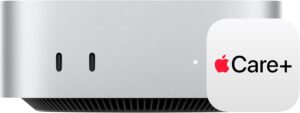
TechRadar called the Mac Mini M4 “the best small form factor PC in the world” after testing — and the case is compelling. Apple’s M4 chip delivers a 10-core CPU with 4 performance and 6 efficiency cores alongside a 10-core GPU and a 16-core Neural Engine supporting 38 TOPS. It starts with 16GB of unified memory — twice the previous base model — which Apple quietly upgraded, and multiple reviewers confirmed this makes it genuinely usable for heavy multitasking. TechRadar’s reviewer noted it “ran smoothly” through video editing while staying “virtually silent throughout.” The 2024 redesign shrank the footprint to five by five inches and moved the most-used ports to the front for the first time. At $599 it is the most affordable mini PC on this list while delivering the fastest single-core performance available in any small form factor computer at this price.
🏆 Best Windows Pro Mini PC: ASUS NUC 14 Pro
ASUS acquired the NUC (Next Unit of Computing) product line from Intel in 2023 and the NUC 14 Pro is their flagship result — built on Intel’s Core Ultra Meteor Lake platform with Arc iGPU. XDA-Developers confirmed in their hands-on review that the toolless design makes RAM and storage upgrades genuinely easy — a differentiator versus most mini PCs that require screwdrivers and technical confidence. ASUS’s official specs confirm dual Thunderbolt 4 on the rear alongside dual HDMI 2.1 ports — enabling four simultaneous monitor connections. The 2.5GbE networking, support for up to 48GB DDR5, and dual M.2 NVMe slots make it a flexible professional platform. StorageReview confirmed the Core Ultra 7 165H delivered 901 points in Cinebench 2024 multi-core — a 34% improvement over the NUC 13 Pro.
🏆 Most Powerful AMD Mini PC: Minisforum UM890 Pro
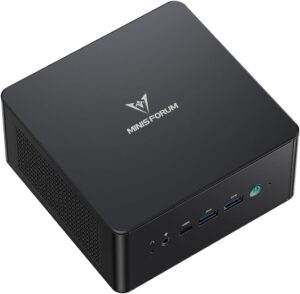
The Minisforum UM890 Pro is the most feature-rich and expandable mini PC on this list. Liliputing reviewed it and called it “versatile, high-performance, and nearly silent” — confirming the AMD Ryzen 9 8945HS runs up to 70.8W but the cooling keeps it quiet. The OCuLink port is the UM890 Pro’s defining feature — OCuLink provides a PCIe 4.0 x4 connection (64Gbps) to an external GPU chassis, faster than USB4 or Thunderbolt 4 for GPU workloads. Dual 2.5GbE ports (two separate network interfaces) enable NAS connectivity, network bridging, or dual network connections simultaneously — a feature absent on every other mini PC on this list. Support for up to 96GB of DDR5, dual M.2 PCIe 4.0 slots, dedicated SSD and RAM cooling, and Wi-Fi 6E complete the package.
🥇 #1 Apple Mac Mini M4 — Best Overall Mini PC 2026
Apple Mac Mini (M4, 2024)
Apple M4 · 10-core CPU (4P+6E) · 10-core GPU · 16-core Neural Engine ⭐ · 16GB unified memory standard ⭐ · 256GB or 512GB SSD (base) · 3× Thunderbolt 4 (rear) + 2× USB-C (front) ⭐ · HDMI · Gigabit Ethernet (upgradeable to 10GbE) · Wi-Fi 6E · Bluetooth 5.3 · macOS Sequoia + Apple Intelligence · 5×5 inch footprint ⭐ · Whisper-quiet · $599–$1,399+
⚠️ Critical Limitations Before Buying
The Mac Mini M4 uses soldered unified memory — you cannot upgrade RAM after purchase. The storage SSD is also soldered and non-upgradeable. Choose your configuration carefully at purchase because you are locked into it permanently. All USB-A ports are gone from the 2024 model — it has USB-C/Thunderbolt only. Adapters or USB-C peripherals are required for USB-A devices. The power button has been moved to the underside of the unit, requiring you to lift the machine to turn it on if the button isn’t accessible from behind. Gigabit Ethernet is standard — 10GbE is an optional $100 upgrade at purchase. macOS only — it does not run Windows natively (Boot Camp is discontinued on Apple Silicon). Windows can be run via Parallels Desktop virtualisation at additional cost.
Best for: Apple ecosystem users — anyone with an iPhone, iPad, or existing Apple software investments — who want the fastest, quietest, and most energy-efficient desktop computer available at $599. Also the right choice for video editors using Final Cut Pro, Logic Pro users, developers building iOS/macOS apps, and anyone who prioritises zero fan noise and maximum battery-free performance in a five-inch footprint. Not suitable for Windows-only software requirements or buyers who need internal expandability.
The Mac Mini M4 is the most significant update to Apple’s compact desktop in years — physically smaller, faster, and with better ports than its predecessor, all at the same $599 starting price. Apple’s official specs confirm the M4 chip: 10-core CPU with 4 performance and 6 efficiency cores, 10-core GPU, and a 16-core Neural Engine reaching 38 TOPS. Critically, Apple raised the base memory from 8GB to 16GB unified memory — a change TechRadar highlighted as significant, noting that “running Chrome with 15 tabs, VS Code, Slack, and Figma on 8GB was genuinely miserable.” The 2024 redesign shrunk the footprint to five by five inches while adding two USB-C ports to the front — the first time Apple has put front ports on the Mac Mini.
Geekbench 6 results from November 2024 showed the M4 Mac Mini scoring approximately 3,800 single-core and 15,000 multi-core — up from 2,700 and 10,500 on the M2. TechRadar’s reviewer confirmed the machine “ran smoothly” through video editing, “4K timelines,” and “Xcode builds” while staying “virtually silent throughout” — a consistent finding across multiple independent reviews. AppleInsider confirmed Thunderbolt 4 on all three rear ports plus two USB-C ports on the front, HDMI, and Gigabit Ethernet. The new Neural Engine’s 38 TOPS enables Apple Intelligence — Apple’s on-device AI system for writing assistance, image generation, and Siri improvements built into macOS Sequoia. iPhone Mirroring, AirDrop, Universal Clipboard, and Handoff make it feel tightly integrated with other Apple devices.
✓ Pros
- Best single-core performance of any mini PC at this price
- Whisper-quiet under load — unique on this list
- 16GB unified memory standard — up from 8GB previously
- Front USB-C ports added for the first time
- 3× Thunderbolt 4 rear + 2× USB-C front
- 5×5 inch footprint — smallest on this list
- Apple Intelligence on-device AI built in
- TechRadar: “best small form factor PC in the world”
✗ Cons
- Memory and storage soldered — no post-purchase upgrades
- macOS only — no native Windows support
- No USB-A ports — requires adapters for older peripherals
- Power button on underside — awkward to press
- Gigabit Ethernet only at base price — 10GbE costs $100 extra
- No OCuLink or discrete GPU option
- Only one HDMI port — multi-monitor requires Thunderbolt displays
💡 ClarityPick Verdict: The Apple Mac Mini M4 is the best mini PC of 2026. TechRadar confirmed “the best small form factor PC in the world” — and at $599 with 16GB unified memory, Thunderbolt 4, and whisper-quiet operation, it is difficult to argue otherwise. The locked-in memory and macOS requirement are genuine limitations — choose your configuration carefully and confirm you are in the Apple ecosystem before buying. For Windows requirements, the ASUS NUC 14 Pro is the alternative.
Check Current Price on Amazon →
Price changes daily — click to see today’s price
🥈 #2 ASUS NUC 14 Pro — Best Windows Mini PC for Professionals 2026
ASUS NUC 14 Pro
Intel Core Ultra 5 125H / 7 155H / 7 165H (Meteor Lake) · Intel Arc iGPU ⭐ · DDR5-5600 up to 48GB · 2× Thunderbolt 4 (rear) ⭐ · 2× HDMI 2.1 ⭐ · 1× USB 3.2 Gen 2×2 Type-C (front) · 2× USB 3.2 Gen 2 Type-A (front) · 2.5GbE Ethernet · Wi-Fi 6E · Toolless design ⭐ · Slim or Tall chassis · 4-monitor support · $379 (barebones) to ~$1,099 (configured)
ℹ️ ASUS Now Makes the NUC — Not Intel
Intel sold the NUC product line to ASUS in 2023. ASUS is now responsible for all NUC design, manufacturing, and support going forward. The NUC 14 Pro is the first fully ASUS-designed NUC generation. The base barebones model ($379) includes an Intel Core 3 100U processor with no RAM or storage — you supply your own. Configured units with RAM and storage range from $799 to ~$1,099. TechRadar noted the NUC 14 Pro is “a bit underwhelming” for the price versus AMD competitors like the Beelink SER8 in raw benchmark performance — but the Thunderbolt 4 ports, Arc iGPU, Intel vPro options, and ASUS build quality are differentiators AMD alternatives lack. Performance at 40W cTDP is competitive with AMD Ryzen mid-range in single-core.
Best for: Windows professionals who need Thunderbolt 4 for specific peripherals or docking solutions, multi-monitor setups requiring up to four simultaneous displays via dual HDMI 2.1 and dual Thunderbolt 4, and anyone who values toolless upgradeable RAM and storage. Also the right choice for businesses requiring Intel vPro enterprise management features (available on 165H vPro SKUs).
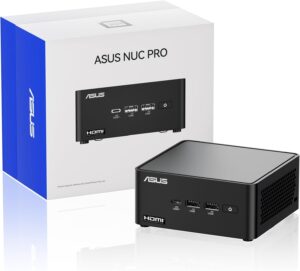
The ASUS NUC 14 Pro inherits the legendary NUC form factor and brand from Intel and improves it with Meteor Lake’s Core Ultra processors. ASUS’s official specs page confirms the full port selection: two Thunderbolt 4 ports and dual HDMI 2.1 at the rear, plus a USB 3.2 Gen 2×2 Type-C (20Gbps) and two USB 3.2 Gen 2 Type-A ports at the front — a genuinely comprehensive connectivity setup for a 4×4 inch footprint. The 2.5GbE Ethernet port is standard across all NUC 14 Pro configurations. XDA-Developers’ review confirmed the toolless design: “it’s tool-less for the most part,” making RAM and storage upgrades accessible without specialist knowledge. DDR5-5600 SO-DIMM slots support up to 48GB across two slots.
The Intel Arc iGPU in the Core Ultra Meteor Lake processors is a significant upgrade over previous Iris Xe graphics. TechRadar confirmed in their NUC 14 Pro review that Arc is “easily as good as anything that AMD offers in integrated graphics” — though this comparison was made against older AMD iGPU generations; the Radeon 780M in the Beelink SER8 and Minisforum UM890 Pro remains competitive. With dual HDMI 2.1 plus dual Thunderbolt 4, the NUC 14 Pro can drive four monitors simultaneously — confirmed by TechRadar’s review. StorageReview’s benchmark testing confirmed the Core Ultra 7 165H configuration scored 901 in Cinebench 2024 multi-core, a 34% improvement over the NUC 13 Pro.
✓ Pros
- Dual Thunderbolt 4 — for docks, eGPUs, 40Gbps peripherals
- Dual HDMI 2.1 — 4-monitor support in a 4×4 inch box
- Toolless upgradeable RAM and storage
- Intel Core Ultra with Arc iGPU and NPU for local AI
- 2.5GbE Ethernet standard
- vPro options for enterprise management
- ASUS NUC brand heritage — proven quality and long-term support
- Slim or Tall chassis options
✗ Cons
- TechRadar: “underwhelming” raw performance for the price vs AMD
- Laptop Mag: Core Ultra 7 155H scored lower than cheaper AMD alternatives
- Premium pricing — configured units $799–$1,099
- No OCuLink — external GPU limited to Thunderbolt bandwidth
- No front HDMI or DisplayPort on slim model
- Fan noise under sustained load noted by multiple reviewers
💡 ClarityPick Verdict: The ASUS NUC 14 Pro is the best Windows mini PC for professionals who need Thunderbolt 4, four-monitor support, and toolless upgradeable hardware in 2026. The Intel Core Ultra platform’s Arc iGPU, NPU, and vPro options differentiate it from AMD alternatives. The honest limitation: raw benchmark performance per dollar is below the Beelink SER8 and Minisforum UM890 Pro — the premium buys ASUS’s ecosystem, Thunderbolt 4 certification, and business features rather than peak computing power.
Check Current Price on Amazon →
Price changes daily — click to see today’s price
🥉 #3 Beelink SER8 — Best Value AMD Mini PC 2026
Beelink SER8
AMD Ryzen 7 8845HS (Zen 4, 8C/16T, up to 5.1GHz) ⭐ · AMD Radeon 780M (12 CU, RDNA 3) ⭐ · 32GB DDR5 5600MHz (dual channel) · 1TB M.2 NVMe PCIe 4.0 · 2nd M.2 slot available · 1× USB4 40Gbps · 1× HDMI · 2× DisplayPort · 2.5GbE Ethernet · Wi-Fi 6 · Bluetooth 5.2 · Triple display up to 8K · Aluminum unibody · Windows 11 Pro included · ~$650
ℹ️ USB4 vs Thunderbolt 4 — eGPU Limitation
The Beelink SER8 has one USB4 40Gbps port — NOT Thunderbolt 4. USB4 and Thunderbolt 4 offer the same 40Gbps bandwidth, but Thunderbolt 4 has stricter certification requirements and full PCIe tunnelling for Thunderbolt-certified eGPU enclosures. Some Thunderbolt eGPU enclosures may not work reliably on USB4 — check compatibility before purchasing an eGPU for use with the SER8. The SER8 does NOT have an OCuLink port (unlike the Minisforum UM890 Pro). Tech4Gamers noted “noticeable fan noise during heavy gaming” — the SER8 is not as quiet as the Mac Mini M4 under sustained load. Wi-Fi is Wi-Fi 6 (not 6E) — a minor limitation versus Wi-Fi 6E competitors.
Best for: Windows users who want the best AMD Ryzen performance for around $650 — including the strongest integrated gaming GPU on this list, triple display support up to 8K, and 32GB DDR5 pre-installed. Also ideal for users who want a compact Windows desktop for light gaming, video editing, and home office use without paying premium Intel prices for equivalent or lower performance.
The Beelink SER8 is the most complete out-of-the-box package on this list for Windows users at ~$650. ServeTheHome’s hands-on review confirmed the test unit: “AMD Ryzen 8845HS 8-core processor, 32GB of DDR5 memory, and a 1TB NVMe SSD” — everything you need to start working immediately without additional purchases. Notebookcheck’s full review confirmed the complete connectivity: 2 USB 2.0 ports, 3 USB 3.0/3.1 Gen1, 1 USB4 40Gbps, 1 HDMI, 2 DisplayPort, and 2× 3.5mm audio jacks, plus 2.5GbE Ethernet and Intel Wi-Fi 6 AX200. The 135×135×44.7mm aluminum unibody chassis was noted by Notebookcheck as “Mac Mini-inspired” — a clean, professional aesthetic.
The AMD Radeon 780M integrated GPU is the strongest iGPU on this list for gaming — featuring 12 Compute Units with RDNA 3 architecture at up to 2700MHz. Tech4Gamers confirmed it handles “demanding 3D games in 1080p quality” making the SER8 uniquely capable among the mini PCs here for casual gaming without a dedicated GPU. TechRadar’s performance review noted the 8845HS in the SER8 achieves “virtually no difference” from the Ryzen 9 8945HS in the Minisforum UM890 Pro in single-core tasks — with only a modest multi-core gap. ServeTheHome confirmed Windows 11 Pro is pre-installed. The optional BIOS performance mode allows pushing TDP from 54W to 65W for extra performance at the cost of higher fan speed.
✓ Pros
- AMD Ryzen 7 8845HS — strong multi-core performance at $650
- Radeon 780M — best integrated GPU for gaming on this list
- 32GB DDR5 5600MHz pre-installed — ready to use immediately
- 1TB NVMe PCIe 4.0 + second M.2 slot for expansion
- Triple display support including up to 8K
- Windows 11 Pro included
- Aluminum unibody build — premium feel
- BIOS performance mode for extra headroom
✗ Cons
- USB4 not Thunderbolt 4 — Thunderbolt peripherals may not be compatible
- No OCuLink — eGPU limited to USB4 bandwidth
- Wi-Fi 6 only — not Wi-Fi 6E like competitors
- Fan noise under gaming load — not silent like Mac Mini M4
- Older USB 2.0 ports present — a cost-cutting compromise
- Single Ethernet port — unlike Minisforum UM890 Pro’s dual 2.5GbE
💡 ClarityPick Verdict: The Beelink SER8 is the best value AMD mini PC of 2026. Ryzen 7 8845HS with Radeon 780M gaming GPU, 32GB DDR5, 1TB NVMe, and Windows 11 Pro for around $650 — an immediately usable, genuinely powerful package. The USB4 (not Thunderbolt 4) port and absence of OCuLink are the meaningful connectivity limitations versus the Minisforum UM890 Pro. For most home office, media, and light gaming use, the SER8 is the correct choice.
Check Current Price on Amazon →
Price changes daily — click to see today’s price
#4 Minisforum UM890 Pro — Most Powerful AMD Mini PC 2026
Minisforum UM890 Pro
AMD Ryzen 9 8945HS (Zen 4, 8C/16T, up to 5.2GHz) ⭐ · AMD Radeon 780M (12 CU, RDNA 3) · DDR5 up to 96GB · 2× M.2 PCIe 4.0 NVMe slots ⭐ · 2× USB4 40Gbps ⭐ · 1× OCuLink (PCIe 4.0 x4 = 64Gbps) ⭐ · 2× 2.5GbE Ethernet ⭐ · 1× HDMI · 1× DisplayPort · Wi-Fi 6E · Bluetooth 5.2 · Active SSD + RAM cooling · Nearly silent · ~$649–$749
ℹ️ OCuLink — What It Is and What You Need
OCuLink is a connector standard for externally connecting PCIe devices — specifically eGPU enclosures. At PCIe 4.0 x4, OCuLink delivers 64Gbps bandwidth — significantly faster than Thunderbolt 4 (40Gbps) or USB4 (40Gbps) for GPU workloads. To use OCuLink, you need a compatible eGPU enclosure with an OCuLink connector and a desktop GPU. Minisforum sells the DEG1 OCuLink expansion dock separately. The UM890 Pro’s OCuLink is the most cost-effective way to add discrete GPU power to a mini PC in 2026. One initial note from the Slickdeals community: early UM890 Pro units had Wi-Fi issues that Minisforum addressed in later revisions — confirm you are buying a current revision and that Wi-Fi drivers are up to date from Minisforum’s support site.
Best for: Power users and enthusiasts who want the fastest AMD Ryzen 9 processor, the most comprehensive connectivity (dual USB4, dual 2.5GbE, OCuLink), and the flexibility to add an external GPU for demanding tasks. Also ideal for home lab builders, network-attached storage setups using dual 2.5GbE, developers running multiple workloads simultaneously, and anyone who wants future-proof eGPU expandability.
The Minisforum UM890 Pro is the most specification-dense mini PC on this list. Liliputing’s review — one of the most thorough independent reviews available — confirmed the AMD Ryzen 9 8945HS processor: 8 cores, 16 threads, 4.0GHz base, 5.2GHz boost, 45W TDP (configurable up to 70.8W), AMD Radeon 780M with 12 CUs at up to 2800MHz. Critically, Liliputing confirmed “the computer’s fans keep the temperatures at optimal levels without creating much noise” — making the UM890 Pro significantly quieter under load than the SER8, and approaching Mac Mini M4’s quiet operation. Dedicated active cooling for both M.2 NVMe drives and DDR5 RAM is a feature absent on most mini PCs at this price.
The dual USB4 40Gbps ports are confirmed by Minisforum’s product page — each supports Power Delivery for mobile displays and 8K video output. Two independent 2.5Gb Ethernet ports enable simultaneous connections to two networks — useful for NAS access, network bridging, or home lab setups where the SER8’s single 2.5GbE port would be a bottleneck. The OCuLink port delivers PCIe 4.0 x4 at 64Gbps for eGPU connection — Minisforum’s DEG1 OCuLink expansion dock pairs with this, transforming the UM890 Pro into a capable gaming or content creation workstation. Support for up to 96GB of DDR5 across two SO-DIMM slots makes it the most RAM-expandable AMD mini PC on this list.
✓ Pros
- Ryzen 9 8945HS — top of the Ryzen 8000 series
- OCuLink — fastest eGPU connection available in a mini PC
- Dual 2.5GbE Ethernet — unique on this list
- Dual USB4 40Gbps ports
- Up to 96GB DDR5 — most expandable on this list
- Nearly silent under load — confirmed by Liliputing
- Active SSD and RAM cooling
- Wi-Fi 6E — fastest wireless on the AMD options
✗ Cons
- Ryzen 9 8945HS vs Ryzen 7 8845HS — marginal real-world difference per TechRadar
- OCuLink enclosure (DEG1) is sold separately — additional cost
- BIOS configuration needed for optimal performance initially
- Early units had Wi-Fi issues — confirm current revision
- No Thunderbolt 4 — USB4 only
- Fewer display outputs than SER8 (2 vs 3 on SER8)
💡 ClarityPick Verdict: The Minisforum UM890 Pro is the most powerful and most expandable AMD mini PC of 2026. Ryzen 9 8945HS, OCuLink for genuine eGPU support, dual 2.5GbE, dual USB4, and 96GB RAM capacity at a similar price to the Beelink SER8. TechRadar noted the performance difference between the 8945HS and 8845HS is modest — but the UM890 Pro’s connectivity lead over the SER8 is significant for power users. If you want the most future-proof, feature-rich AMD mini PC available, this is the correct choice.
Check Current Price on Amazon →
Price changes daily — click to see today’s price
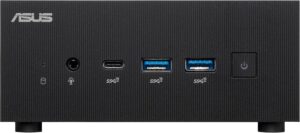
#5 ASUS Mini PC PN64 — Best Business Mini PC 2026
ASUS ExpertCenter Mini PC PN64
Intel 12th or 13th Gen Core (i5-12500H / i5-1340P / i7-13700H options) · Intel Iris Xe Graphics · DDR5 4800MHz up to 64GB · Dual M.2 NVMe PCIe Gen 4 + 2.5-inch HDD bay ⭐ · 2× Thunderbolt 4 (E1 version) ⭐ · Intel 2.5Gb LAN · Wi-Fi 6E · Bluetooth 5.2 · Quad display support ⭐ · ExpertCenter business-class management · Windows 11 Pro · ~$379–$700
⚠️ Older Platform & Configuration Variations
The ASUS PN64 uses Intel 12th or 13th generation Core processors — an older platform than the Core Ultra (Meteor Lake) in the NUC 14 Pro, and significantly older than the M4 chip or AMD Ryzen 8000 series. Thunderbolt 4 is available on the PN64-E1 version — the base PN64 (non-E1) has Thunderbolt 4 via the configurable port on some SKUs, but not all — confirm your specific model’s port configuration before purchasing. The Mini PC Reviewer noted that the manufacturer claims 64GB DDR5 maximum, but the CPU officially supports a maximum of 32GB — verify this before purchasing high-RAM configurations. Multiple Amazon listings exist for different PN64 configurations; the linked version may vary in CPU, RAM, and storage.
Best for: Business buyers and IT departments who want Intel’s ExpertCenter platform with enterprise-grade management features, quad display support, a 2.5-inch hard drive bay for additional storage flexibility, and Intel’s proven Thunderbolt 4 ecosystem — at a lower price point than the NUC 14 Pro. Also suitable for home office users who want a mature, well-supported Intel platform with dual M.2 storage slots and a 2.5-inch bay for a total of three storage devices.
The ASUS ExpertCenter PN64 is the business-class counterpart to the NUC 14 Pro, built on an older but proven Intel platform. ASUS’s official spec page confirms the PN64’s distinguishing storage advantage: dual M.2 NVMe PCIe Gen 4 slots plus a 2.5-inch SATA HDD/SSD bay — three storage slots total, the most of any mini PC on this list. This makes the PN64 particularly suited to home offices and small businesses where large local storage (photos, media libraries, backup data) is a priority. B&H Photo’s confirmed spec listing shows the PN64-E1 variant with 2× Thunderbolt 4, Intel 2.5Gb LAN, Wi-Fi 6E, and Bluetooth 5.2 alongside the hybrid core Intel 12th/13th Gen processors.
ASUS confirmed the PN64 supports quad display output — enabling four simultaneous 4K monitors through a combination of Thunderbolt 4, HDMI, and the configurable port. The ExpertCenter branding brings ASUS’s business-class features: remote management compatibility, enhanced security features, and ASUS’s commercial support infrastructure. The Mini PC Reviewer confirmed the Intel Core i5-12500H model “demonstrates robust multitasking capabilities” for productivity, media playback, and office workloads. The 2.5-inch drive bay is a practically useful feature absent on the NUC 14 Pro, Beelink SER8, and Minisforum UM890 Pro — buyers with large mechanical hard drives or SATA SSDs they want to reuse will find this valuable. Multiple processor options range from the i5-1240P to the i7-13700H.
Thunderbolt ⭐
2× TB4 (E1)
✓ Pros
- Three storage slots — dual M.2 NVMe + 2.5-inch HDD/SSD bay
- Quad 4K display support
- Thunderbolt 4 on E1 variant
- ExpertCenter business-class management features
- Wi-Fi 6E + 2.5GbE Ethernet
- Mature Intel platform — broad software/driver compatibility
- Multiple processor options from i5 to i7
- Lower price than NUC 14 Pro for similar Thunderbolt 4 access
✗ Cons
- Older Intel 12th/13th gen — not Core Ultra like NUC 14 Pro
- Intel Iris Xe iGPU — weaker than Radeon 780M for gaming/GPU tasks
- RAM max capacity dispute — CPU limits may differ from manufacturer claims
- Thunderbolt 4 only on E1 variant — confirm before purchasing
- Older platform = less relevant for AI/NPU workloads vs Core Ultra or M4
- Multiple SKU variants create confusion — verify specific configuration
💡 ClarityPick Verdict: The ASUS Mini PC PN64 is the best business mini PC of 2026 for buyers who need three storage slots (dual M.2 + 2.5-inch bay), quad display support, and Intel’s Thunderbolt 4 ecosystem at a lower price than the NUC 14 Pro. The older Intel 12th/13th gen platform is the honest limitation — it is outperformed by AMD Ryzen 8000 and Intel Core Ultra in raw benchmarks. For businesses that prioritise storage flexibility, ExpertCenter manageability, and Intel’s proven compatibility, the PN64 remains a solid choice. Confirm Thunderbolt 4 is on your specific E1 SKU before purchasing.
Check Current Price on Amazon →
Price changes daily — click to see today’s price
Mini PC Buyer’s Guide 2026
Choosing between the best mini PCs 2026 has to offer comes down to platform, connectivity requirements, expandability, and whether you are committed to macOS or Windows. Here’s exactly who should choose which.
🎯 Choose Apple Mac Mini M4 If…
- You are already in the Apple ecosystem — iPhone, iPad, AirPods, or existing Mac software — and want the fastest, quietest compact desktop that integrates seamlessly with all of your Apple devices including iPhone Mirroring, AirDrop, and Universal Clipboard
- Silent operation is a priority — the Mac Mini M4 is genuinely whisper-quiet under sustained load, including video editing and development workloads, in a way that no Windows mini PC on this list can match
- $599 for the fastest single-core performance available in a compact desktop is the right value proposition for your use case — particularly for Final Cut Pro, Logic Pro, DaVinci Resolve, and Xcode workflows
🎯 Choose ASUS NUC 14 Pro If…
- You specifically need Thunderbolt 4 — for Thunderbolt-certified docking stations, eGPU enclosures, or high-bandwidth Thunderbolt storage devices that require Intel’s full Thunderbolt 4 certification rather than USB4
- You need four simultaneous monitor outputs from a single mini PC — the dual HDMI 2.1 plus dual Thunderbolt 4 configuration enables quad-monitor setups that AMD mini PCs on this list cannot match
- Intel vPro enterprise management features are required for IT deployment across multiple machines in a business environment
🎯 Choose Beelink SER8 If…
- You want the best AMD Ryzen performance for ~$650 with everything included — 32GB DDR5, 1TB NVMe, Windows 11 Pro, and the Radeon 780M iGPU for casual gaming — without needing to purchase RAM and storage separately
- Light gaming on a mini PC is a use case — the Radeon 780M delivers better 1080p gaming performance than Intel Iris Xe or Arc iGPU alternatives at this price, making the SER8 the best gaming mini PC on this list
- You don’t need OCuLink or dual Ethernet and want a straightforward, complete package without configuration complexity
🎯 Choose Minisforum UM890 Pro If…
- OCuLink eGPU expansion is part of your plan — the UM890 Pro is the only mini PC on this list with OCuLink, providing 64Gbps PCIe 4.0 x4 bandwidth to an eGPU enclosure, significantly faster than Thunderbolt 4 or USB4 for discrete GPU workloads
- Dual 2.5GbE Ethernet is needed for your network setup — home lab users, NAS owners, and network administrators who need two independent Ethernet connections simultaneously will find this feature available nowhere else on this list
- Maximum AMD expandability matters — up to 96GB DDR5 and dual M.2 PCIe 4.0 slots makes this the most future-proof AMD mini PC here
🎯 Choose ASUS Mini PC PN64 If…
- Storage flexibility is the priority — the PN64 is the only mini PC on this list with three separate storage slots (dual M.2 NVMe + 2.5-inch SATA), making it ideal for media server builds, photo archiving, or any use case requiring both fast NVMe and high-capacity SATA storage
- You are a business IT buyer who wants Intel’s proven ExpertCenter platform with mature driver support, business management features, and ASUS’s commercial support infrastructure at a lower price than the NUC 14 Pro
- Quad display support at a competitive price is required for a multi-monitor workstation setup
📋 Mini PC Buying Checklist 2026
- Decide your OS first: If you need Windows-only software (specific enterprise applications, PC gaming titles, Windows-dependent workflows), eliminate the Mac Mini M4 from consideration immediately — macOS does not run Windows natively on Apple Silicon and Boot Camp is discontinued. If you are flexible or already use cross-platform software (Adobe, DaVinci Resolve, Microsoft 365), both macOS and Windows are viable
- Count your monitor outputs: One HDMI is the minimum — if you need two or more monitors, check the specific display output count. The ASUS NUC 14 Pro and PN64 support four monitors simultaneously. The Beelink SER8 supports three. The Mac Mini M4 supports two via HDMI and Thunderbolt (with the right displays). Verify that the resolution and refresh rate you need are supported at every output
- Check whether RAM and storage are included: The ASUS NUC 14 Pro barebones model ($379) ships without RAM or storage — you must purchase these separately before the machine will work. The Beelink SER8 and Minisforum UM890 Pro include 32GB DDR5 and 1TB NVMe at their listed prices. The Mac Mini M4 includes unified memory and storage (non-upgradeable). The ASUS PN64 is available both with and without RAM and storage depending on the specific SKU
- Understand eGPU options before buying: Integrated graphics in every mini PC on this list are limited for heavy gaming and GPU-accelerated work. If you anticipate needing a discrete GPU in future, the Minisforum UM890 Pro’s OCuLink connection is the best expansion path. Thunderbolt 4 eGPUs (available via NUC 14 Pro and PN64) work but at lower bandwidth. USB4 eGPUs (Beelink SER8) are less reliable with some enclosures. The Mac Mini M4 has no practical eGPU expansion path
- Consider noise tolerance for your environment: The Mac Mini M4 is genuinely near-silent under load — confirmed across multiple independent reviews. The Minisforum UM890 Pro is “nearly silent” per Liliputing. The Beelink SER8 has “noticeable fan noise during heavy gaming” per Tech4Gamers. The ASUS NUC 14 Pro has fan noise under sustained load. For home office, library, or bedroom use where noise matters, the Mac Mini M4 and UM890 Pro are the quietest options
Frequently Asked Questions
Can mini PCs replace a full desktop computer in 2026?
Yes, for most common computing tasks — web browsing, document creation, email, video calling, photo editing, software development, 4K video playback, and light content creation — any of the five mini PCs on this list will perform equivalently to a mid-range desktop tower. The limitations of mini PCs versus towers are: no internal discrete GPU (limiting heavy gaming and GPU-accelerated rendering without an eGPU), no PCIe expansion slots for capture cards or RAID controllers, limited storage upgrade paths (except the ASUS PN64 with three storage slots), and lower sustained performance under prolonged extreme workloads due to thermal constraints. For office work, media consumption, home office use, and development workflows, mini PCs are a complete replacement for full desktop towers in 2026.
Is the Apple Mac Mini M4 worth buying over a Windows mini PC?
The Mac Mini M4 is worth buying over Windows mini PCs if you are in the Apple ecosystem, prioritise silent operation, or primarily use cross-platform creative software. TechRadar confirmed it as “the best small form factor PC in the world” — and at $599 with 16GB unified memory and Thunderbolt 4, the value is genuinely strong. The trade-offs are real: no internal upgradeability, no native Windows support, no USB-A ports, and a single HDMI output. If you need Windows-specific software, multiple HDMI displays, or internal RAM/storage upgrades, Windows mini PCs from AMD and Intel are the correct choice. The decision is primarily macOS vs Windows, not performance — the M4 is fast enough for virtually any office and creative workload.
What is OCuLink and why does it matter for mini PCs?
OCuLink (Optical Copper Link) is a connector standard that exposes a PCIe connection externally — specifically to connect external GPU enclosures at full PCIe speeds. In the Minisforum UM890 Pro, the OCuLink port provides PCIe 4.0 x4 bandwidth at 64Gbps — significantly faster than Thunderbolt 4 (40Gbps) or USB4 (40Gbps) for GPU communication. This matters because GPU workloads (gaming, AI inference, video rendering, machine learning) saturate the bandwidth available through USB4 and Thunderbolt faster than PCIe-native connections. An OCuLink eGPU setup with the UM890 Pro and a compatible enclosure like Minisforum’s DEG1 dock can enable desktop-class discrete GPU performance in a mini PC form factor. OCuLink is not widely supported — it is a niche feature available on select mini PCs and is meaningless if you don’t plan to use an eGPU.
Which mini PC is best for home media and 4K streaming?
All five mini PCs on this list handle 4K streaming and local 4K playback without difficulty. For dedicated home media use, the priorities are codec support, display output, and quiet operation. The Apple Mac Mini M4 has a dedicated Media Engine that accelerates HEVC, H.264, ProRes, and AV1 decoding in hardware — the most capable hardware media engine on this list. The Beelink SER8 and Minisforum UM890 Pro both support 8K output via their display connections and handle hardware-decoded 4K content efficiently. The Mac Mini M4 wins on silence (critical for living room use) and codec breadth. For a Windows media centre running Plex, Kodi, or Jellyfin, the Beelink SER8’s triple display support and Radeon 780M hardware decoding make it the best Windows option.
Can I game on a mini PC in 2026?
Yes, with appropriate expectations. All AMD Ryzen 8000 series mini PCs on this list — the Beelink SER8 and Minisforum UM890 Pro — run the AMD Radeon 780M iGPU, which handles 1080p gaming in most popular titles at medium to high settings. Esports titles (CS2, Valorant, Rocket League, League of Legends) run well above 60fps at 1080p. Demanding AAA titles (Cyberpunk 2077, Alan Wake 2, Hogwarts Legacy) are playable at 1080p low-medium settings. The Mac Mini M4 handles Apple Arcade titles and cross-platform games available on macOS, with strong performance in optimised titles. For the best gaming performance from a mini PC in 2026, the Minisforum UM890 Pro with an OCuLink eGPU is the most capable option — adding a desktop RTX 4070 or RX 7800 XT via OCuLink delivers genuine 1440p and 4K gaming capability.
🏆 Final Verdict — Best Mini PCs 2026
These are the best mini PCs 2026 has to offer — five compact powerhouses covering every platform, budget, and use case.
Best Overall: Apple Mac Mini M4 — M4 10-core, 16GB unified, whisper-quiet, TB4, $599 — “best SFF PC in the world”
From $599
Best Windows Pro: ASUS NUC 14 Pro — Core Ultra, dual TB4, dual HDMI 2.1, 4-monitor, toolless upgrades
From $379
Best Value AMD: Beelink SER8 — Ryzen 7 8845HS, Radeon 780M, 32GB DDR5, Win 11 Pro, best gaming iGPU
~$650
Most Powerful AMD: Minisforum UM890 Pro — Ryzen 9 8945HS, OCuLink, dual 2.5GbE, dual USB4, 96GB RAM
~$649
Best Business: ASUS Mini PC PN64 — Intel 13th Gen, 3 storage slots, quad display, TB4, ExpertCenter
From ~$379
Affiliate Disclosure: As an Amazon Associate, we earn from qualifying purchases. This review contains affiliate links at no extra cost to you. Our recommendations are always independent and unbiased. Last Updated: May 2026